

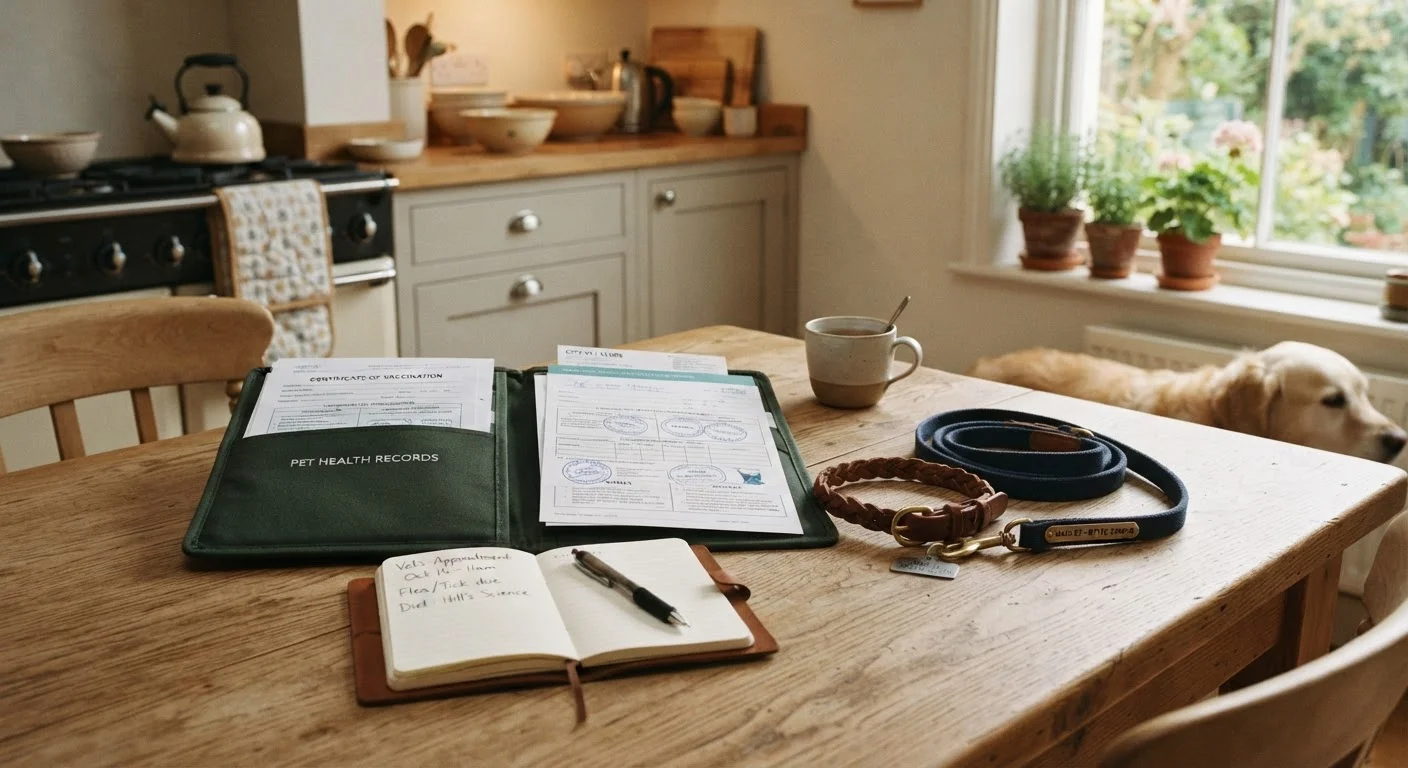
Why organised pet records matter more than you think
Most families don't think about pet health records until they urgently need one - a boarding facility that won't accept a dog without proof of vaccination, an emergency vet asking whether your cat has ever had a reaction to anaesthesia, or a new vet practice requesting a complete medical history. In those moments, scrambling through old emails or trying to recall medication names from memory is stressful at best and genuinely risky at worst.
A well-organised record system isn't about being overly organised - it's about giving your family the information needed to advocate for your pet quickly and confidently. If you're preparing to bring a new pet home, starting a records system from day one is far easier than reconstructing one later.
Keep Emergency Info Instantly Accessible
In a medical emergency, every second counts. Store your vet's phone number, the nearest 24-hour emergency clinic address, and your pet's microchip number somewhere every adult in the household can find immediately - the front of your physical folder, a pinned note on your phone, or a magnet on the fridge. Don't wait until you need it to locate it.
What to gather and how to organise it
Before you begin setting up a system, it helps to know exactly what you're looking for. A complete pet health record typically includes:
- Vaccination certificates - with dates administered and due dates for boosters
- Microchip number and registration details - the database your chip is registered with, not just the chip number itself
- Medication and treatment history - including any past prescriptions, flea and tick prevention, and heartworm treatments
- Surgical and hospitalisation records - discharge summaries, anaesthesia notes, post-op instructions
- Vet contact information - your regular practice plus the nearest 24-hour emergency clinic
- Insurance policy details (if applicable)
For multi-pet households, keeping separate folders from the start prevents confusion. If you're also working on training multiple pets, you already know how quickly things blur together when systems aren't clearly separated by animal.
What you will need
Physical folder or binder with dividers
Stores hard-copy certificates, vet receipts, and printed records in one accessible place at home.
Cloud storage account (e.g. Google Drive, iCloud, or similar)
Provides a digital backup of all records accessible from any device, anywhere.
Smartphone or flatbed scanner
Used to photograph or scan physical documents for digital archiving.
Notebook or index cards
Handy for quick handwritten notes taken during vet appointments before they're filed properly.
Follow these steps to build your system
Work through each step below at your own pace. Most families can get a basic system in place in a single afternoon, even with kids around.
Gather every document you already have
Pull together all existing paperwork: vaccination records, purchase or adoption certificates, previous vet invoices, surgical discharge notes, microchip registration confirmations, and any prescription labels. Check drawers, email inboxes, and old vet appointment reminder letters. Don't worry if there are gaps - you'll fill those in with your vet later.
Create a dedicated physical folder for each pet
Use a clearly labelled folder or binder section for each animal in your home. Divide it into categories using sticky tabs or dividers: Vaccinations, Microchip & ID, Medications, Vet Visit Notes, and Insurance (if applicable). File your gathered documents under the appropriate tabs.
Record your pet's core identifying information
On a single reference sheet at the front of each folder, note: your pet's full name, species and breed, date of birth or estimated age, sex and reproductive status (spayed/neutered), coat colour and any distinguishing markings, microchip number, and registration database details. This sheet is invaluable if your pet is ever lost, treated by an unfamiliar vet, or needs boarding.
Set up a digital backup
Photograph or scan the contents of each folder and save the files to a shared cloud folder labelled clearly by pet name. Organise subfolders to match your physical dividers. Share access with your partner, co-parent, or any household member who may need to take the pet to the vet. This backup is especially useful during travel or emergencies when the physical folder isn't on hand.
Assign a family records keeper
Choose one person - or rotate the role on an agreed schedule - to be responsible for filing new documents after each vet visit, refilling prescriptions on time, and updating the digital folder. Without a clear owner, paperwork tends to pile up on the kitchen counter and important information gets lost. Even in busy households, this takes less than five minutes per visit if done consistently.
Schedule an annual records review
Tie your records review to something you already do annually - like your pet's birthday or their annual vet check-up. At this review, check that vaccinations are current, medications are up to date, microchip registration details are correct, and contact information for your vet is still accurate. Cross-reference with your vet's reminder system as a double-check. This is also a good time to review your what's often missed at annual check-ups so nothing slips through the cracks.
Use a Free Cloud Folder for Digital Backup
Scanning or photographing documents and saving them to a shared cloud folder (accessible to both partners or caregivers) means you can pull up records from your phone at any vet visit or boarding drop-off. Label each file clearly - for example, 'Bella_Rabies_Vaccine_2023' - so files are easy to find in a hurry.
Don't Rely on Memory for Medication Details
If your pet is on any prescription medication, write down the exact name, dose, frequency, and prescribing vet - not just what the bottle says. Labels fade, bottles get misplaced, and dosing instructions can change between refills. A written record prevents dangerous errors if someone else needs to administer medication or if you switch veterinary practices.
Keeping the system going long-term
The hardest part isn't setting up the system - it's maintaining it. The key is making the habit as small and frictionless as possible. File paperwork the same day you return from the vet, before it joins the pile on the counter. Update the digital folder within a week of any new document. And lean on your annual review to catch anything that's slipped.
Families who stick with a records habit tend to find vet visits themselves less stressful - you walk in prepared, with a clear picture of your pet's history. That confidence also helps you ask better questions and notice when something seems off compared to previous visits. For a deeper look at what those conversations should cover, see our piece on commonly overlooked check-up topics.
This article is for general informational purposes only and is not a substitute for professional veterinary advice. Always consult a qualified veterinarian regarding your pet's specific health needs.
The content provided on our blog site traverses numerous categories, offering readers valuable and practical information. Readers can use the editorial team’s research and data to gain more insights into their topics of interest. However, they are requested not to treat the articles as conclusive. The website team cannot be held responsible for differences in data or inaccuracies found across other platforms. Please also note that the site might also miss out on various schemes and offers available that the readers may find more beneficial than the ones we cover.